
Jigsaw Puzzles - Puzzle Games
EasybrainPuzzle
4.8107.03K Reviews
- Version
- 4.10.0
- Installs
- 100.00M
- Age Rating
- Everyone
Screenshots
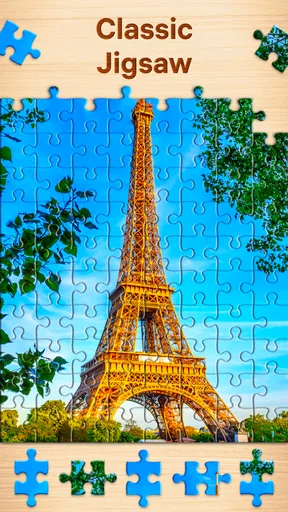
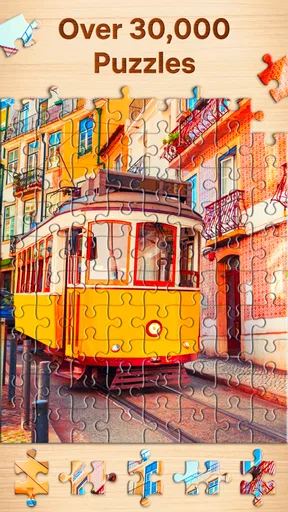
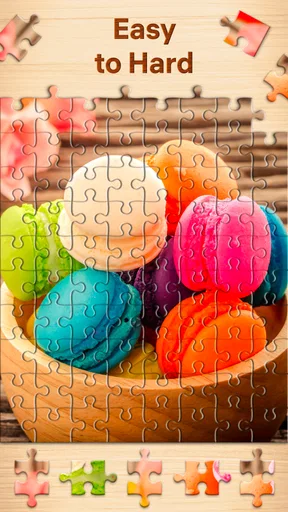
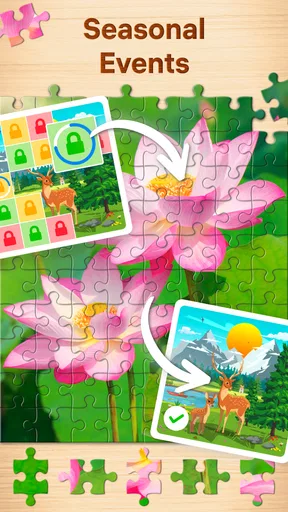
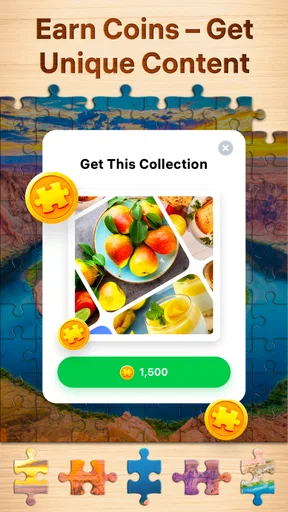
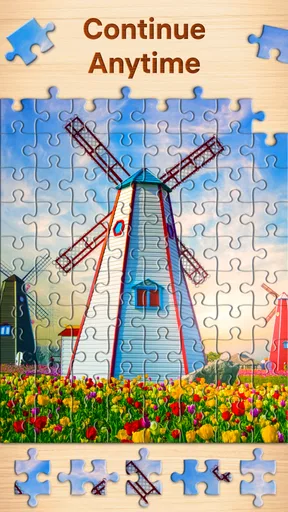
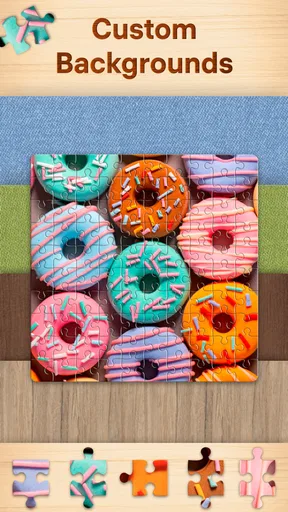
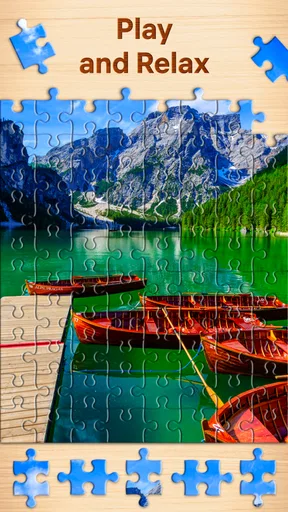
Our Review of Jigsaw Puzzles - Puzzle Games
 Analysis by Appyee
I like a puzzle game that lets me settle into a small, satisfying task without turning every session into a race. That is the appeal of Jigsaw Puzzles - Puzzle Games: it brings the familiar work of sorting and fitting pieces to a phone, where I can pick it up for a short break or stay with a picture longer. It is a free puzzle game from Easybrain, and its focus is straightforward: make digital jigsaws easy to start and comfortable to play.
That simplicity is also the main thing to consider before downloading. If you want a calm activity built around visual matching, this is a strong fit; if you need a story, competition, or constant new mechanics, a jigsaw game may feel repetitive. I would treat it as a convenient pastime rather than a substitute for a physical puzzle or a more varied puzzle collection.
The Perfect Puzzle Companion
When I first opened Jigsaw Puzzles - Puzzle Games, I was immediately drawn in by the vibrant and diverse selection of puzzles. The app boasts a wide variety of categories, from landscapes and animals to abstract art and famous landmarks. This variety ensures that there’s something for everyone, no matter your taste or mood.
The interface is intuitive and user-friendly. The main screen displays your puzzle options in a grid format, making it easy to scroll through and pick your next challenge. Once you select a puzzle, you can choose the difficulty level by adjusting the number of pieces, offering a tailored experience whether you’re a casual puzzler or a seasoned pro.
That choice of piece count matters more than it may seem. I would start with a modest challenge when playing on a small screen, then raise the difficulty when I have time to focus and a larger display is available. More pieces can make a familiar picture feel substantially harder, but they also demand more precise dragging and more room to keep the work area readable. The best setting is not necessarily the highest one; it is the one that stays satisfying instead of turning into a hunt through an overcrowded board.
The app is free to install, with in-app purchases priced from $0.99 to $14.99 per item. That makes it easy to try before spending, but I would still pay attention to purchase prompts and decide in advance whether optional spending suits the way I play. A jigsaw is meant to be unhurried, so there is little reason to buy anything impulsively just to keep a session moving.
Its scale is reassuring for a casual player: the game has more than 100 million installs and a 4.8 average rating from around 2.3 million ratings. It is rated Everyone, and the current version is 4.8.0, with Android 8.0 as the minimum operating system. Those details make it accessible to a broad audience, though a high rating cannot tell you whether the pace and style of digital jigsaws are personally enjoyable.
The offline angle is especially useful in ordinary routines. I can imagine opening a puzzle on a commute, during a quiet wait, or while winding down at home without needing to turn that moment into a long gaming session. Offline play makes the game more practical when a connection is unreliable, but it is still worth choosing and opening a puzzle before settling somewhere with limited access, rather than assuming every online-facing part of the app will behave the same way offline.
The key trade-off against a physical jigsaw is convenience versus tactile feel. A phone keeps the pieces together and avoids taking over a table, but it cannot reproduce the texture, scale, or hands-on sorting of cardboard pieces. Compared with word puzzles or logic games, this is also a more visual and less rule-driven way to spend time: it suits people who enjoy noticing shapes and image fragments, but it may not satisfy someone looking for a deduction challenge or a clear win condition.
What truly sets this app apart is the attention to detail in the puzzle images. Each picture is high-resolution, allowing you to appreciate the fine details as you piece it together. Plus, the app's developers have included a soothing background soundtrack, which adds an extra layer of relaxation to the experience.
Those presentation choices work best when I want a gentle, focused break, though they are not essential to solving anything. If I am playing somewhere quiet or listening to something else, I can simply treat the music as atmosphere rather than the point of the game. The picture quality is more functionally important: it gives me clues in color and detail, which helps when several pieces have similar outlines.
Getting Into the Groove
So, how does the actual gameplay hold up? Smooth as butter! Dragging and dropping pieces feels natural, and the app does a great job of snapping pieces into place with satisfying precision. I found myself getting lost in the rhythm of sorting and placing, which is exactly what you want from a jigsaw puzzle experience.
For a more efficient start, I would first use the overall image to identify a distinctive region—an unusual color patch, a clear line, or a recognizable object—rather than trying to solve the whole picture at once. The edge-piece option can establish a frame, but it is not always the fastest route if the image has a broad, low-detail background. In that case, grouping a few visually distinctive pieces first can give the puzzle more structure than building a border immediately.
The app also offers helpful features like a preview of the completed image, which you can toggle on and off. There’s also a handy edge pieces feature, which lets you separate all the edge pieces to start building your frame. This little touch made beginning each puzzle a breeze and helped maintain the flow of the game.
I would use the preview as a reference, not keep staring at it while searching for every piece. Looking briefly at the target, then returning to the board, encourages me to remember the larger color zones and work from there. When a picture is visually busy, keeping the preview available can reduce frustration; when it is simple, hiding it can make the solve feel more earned. That small adjustment lets the same puzzle suit either a relaxed session or a slightly tougher one.
One practical limitation of phone-based jigsaws is screen space. A high piece count can make the board feel crowded, and fingers can cover the details I am trying to match. I would avoid the hardest setting when I am walking, using the phone one-handed, or only half paying attention. It is better suited to sitting down for a few minutes with the device held comfortably than to a rushed moment when accurate placement becomes awkward.
Features That Shine
One of my favorite features is the daily puzzle challenge. Each day, a new puzzle is available, providing fresh content and encouraging you to come back for more. It's a great way to keep things interesting and test your skills regularly.
The daily option is a useful routine when I do not want to browse through a large selection before playing. It gives a session a simple starting point, although the appeal depends on whether I enjoy returning to a regular puzzle prompt. If I would rather choose a picture that matches my mood, browsing the available puzzles is the better approach; the daily challenge is a convenient nudge, not a reason to force a session.
Additionally, the app includes a social component. You can share your completed puzzles with friends or on social media directly from the app. This feature is perfect for those moments when you finally complete a particularly tricky puzzle and want to show off your accomplishment.
Sharing is a nice extra, but I see it as optional rather than central to the experience. The main pleasure is the solving itself, so people who prefer private, quiet play lose little by ignoring the social side. If you enjoy showing a finished image to someone, it gives you a natural way to mark the end of a session without changing the puzzle into a competitive activity.
For those who love customization, Jigsaw Puzzles - Puzzle Games doesn't disappoint. You can upload your own photos to create custom puzzles. This means endless possibilities and the chance to turn your favorite memories into challenging puzzles.
Custom photos also make the game more personal, but they change the difficulty in ways that are easy to overlook. A picture with clear objects and contrasting colors is likely to be easier to work through than a photo dominated by a plain sky, repeated foliage, or similar-looking surfaces. I would choose an image with several distinct areas for a first custom puzzle, then try a more uniform one when I want a tougher visual search. That choice can matter as much as the piece count.
It is worth noting that the app’s gentle format is not for everyone. If I want a game with a sense of progression driven by levels, tactical choices, or a brisk challenge, I would choose something else. Jigsaw Puzzles keeps its attention on placing pieces, and even attractive artwork cannot entirely remove the repetition inherent in that task. Its strengths—calm pacing and familiar rules—are also the reason it may not hold the attention of players who need frequent changes.
Final Thoughts
In a world filled with fast-paced, high-octane games, Jigsaw Puzzles - Puzzle Games is a refreshing change of pace. It combines beautiful graphics, a smooth interface, and a plethora of features that cater to both casual and hardcore puzzle enthusiasts.
For me, its best use is a deliberately small break: choose a picture, set a manageable piece count, and solve a section rather than expecting to finish every puzzle in one sitting. The option to keep a puzzle relaxing or raise the challenge gives it flexibility, while offline play makes it a sensible choice for downtime away from a reliable connection. I would recommend it most to people who already like jigsaws, enjoy visual detail, or want a low-pressure phone game to return to in short sessions.
If you’re looking for a way to unwind while still giving your brain a workout, this app is definitely worth a download. The combination of customization, daily challenges, and a plethora of stunning images makes it a standout in the puzzle genre. So, go ahead and give it a try — you might just find yourself hooked!
My recommendation comes with one caveat: approach it as an easy-to-access digital hobby, not a deep game that will keep changing its rules. The free entry point and Everyone rating make it straightforward to try, while optional purchases are something to consider only if they fit your habits. If tactile pieces, competitive goals, or constant novelty matter more to you than convenient, quiet puzzling, another kind of game will be a better match. For everyone else, this is a polished way to turn spare minutes into a calm little challenge.
Verdict
Strengths of Jigsaw Puzzles - Puzzle Games
- Wide variety of puzzle images available.
- Smooth and intuitive user interface.
- Regular updates with new puzzles.
- Offline mode for playing without internet.
- Adjustable difficulty levels for all ages.
Limitations of Jigsaw Puzzles - Puzzle Games
- Contains in-app purchases for premium features.
- Ads can be intrusive during gameplay.
- Limited free puzzles available initially.
- Occasional glitches in saving progress.
- Requires significant storage space.
Other Releases by Easybrain
View All
Art Puzzle - Puzzle Games
Puzzle4.8

Arrow Puzzle: Tap Puzzle Games
Puzzle4.8

Blockudoku®: Block Puzzle Game
Puzzle4.6

Sudoku.com - Sudoku Puzzle
Puzzle4.7
Similar Picks in This Category
View All
Block Blast!
HungryStudio4.8

Braindom: Brain Games Test
Lahana Game Studio4.6

AMAZE!
CrazyLabs LTD4.6

Sudoku - Classic Sudoku Puzzle
Oakever Games4.7
Art Puzzle - Puzzle Games
Easybrain4.8

Amaze GO!
Oakever Games4.9
Frequently Asked Questions
What platforms is Jigsaw Puzzles - Puzzle Games available on?
Jigsaw Puzzles - Puzzle Games is available for both Android and iOS devices. You can easily download it from the Google Play Store for Android users or the Apple App Store for iOS users. Ensure your device meets the minimum system requirements for a smooth gaming experience.
Is an internet connection required to play Jigsaw Puzzles - Puzzle Games?
No, Jigsaw Puzzles - Puzzle Games can be enjoyed offline once it is downloaded. This makes it perfect for playing on the go, whether you're commuting or in a location without internet access. However, some features, like downloading new puzzle packs, may require internet access.
Are there in-app purchases available in Jigsaw Puzzles - Puzzle Games?
Yes, Jigsaw Puzzles - Puzzle Games offers in-app purchases. These can include additional puzzle packs, ad removal, or special features that enhance the game experience. While the game itself is free, these optional purchases can help customize your gameplay.
How user-friendly is Jigsaw Puzzles - Puzzle Games for beginners?
Jigsaw Puzzles - Puzzle Games is designed with user-friendliness in mind, making it accessible for beginners. The interface is intuitive, and there are helpful tutorials to guide you through the initial stages. The game also offers varying difficulty levels to suit all players.
Can I save my progress in Jigsaw Puzzles - Puzzle Games?
Yes, you can save your progress in Jigsaw Puzzles - Puzzle Games. The game automatically saves your current puzzle state, allowing you to pick up where you left off at any time. This feature is particularly useful for players who enjoy working on multiple puzzles simultaneously.
Play our best games!


